



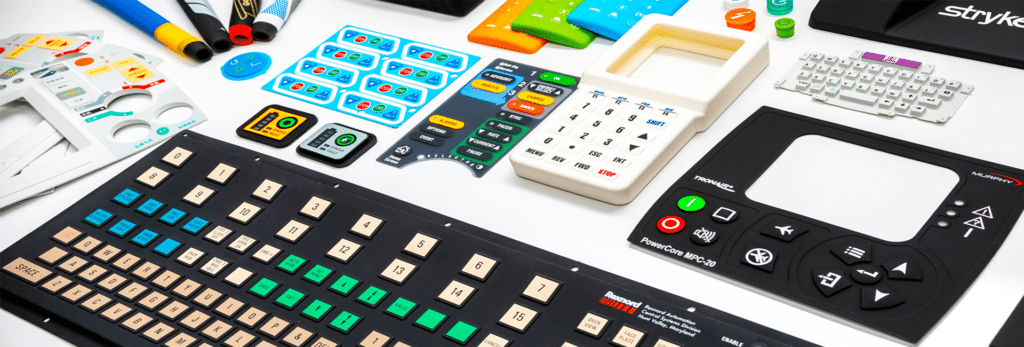
Design Tips for Creating Silicone Keypads That Enhance User Experience
A well-designed silicone keypad does more than register input; it shapes how users interact with a product. Thoughtful design choices can improve usability, reduce errors, and create a more intuitive experience, especially in applications where reliability and efficiency matter.
One of the most critical design elements is tactile feedback. Actuation force, travel distance, and snap ratio all influence how a keypad feels during use. A keypad that’s too soft may lead to accidental presses, while one that’s too firm can cause user fatigue. Selecting the right durometer and dome geometry ensures consistent and comfortable operation.
Key spacing and layout also play a major role in usability. Crowded keys increase the likelihood of incorrect inputs, particularly in gloves-on or low-visibility environments. Designers should consider how and where the keypad will be used, adjusting spacing and key size accordingly.
Legends and graphics deserve careful attention. Clear, durable markings help users quickly identify functions and reduce training time. Techniques such as laser etching and screen printing offer different benefits depending on durability, contrast, and environmental exposure requirements.
Environmental conditions must be factored into the design early. Silicone keypads used outdoors or in industrial settings may need resistance to UV exposure, chemicals, or extreme temperatures. Designing for these conditions upfront avoids premature wear and performance issues.
Finally, ergonomics should not be overlooked. The angle, placement, and responsiveness of the keypad all influence how naturally users interact with the device. Small refinements in design can significantly improve comfort and efficiency. When real-world use cases guide design decisions, silicone keypads become intuitive interfaces that enhance both product performance and user satisfaction.